How to Sell Photos Online: 7 Places That Pay
Sell photos online and the short answer is this: upload your photos to a stock agency such as Adobe Stock or Shutterstock, and you earn a royalty each time a business licenses one. The honest part is the size of that royalty. Most downloads pay well under $1, so the money comes from a large library of photos that buyers actually search for, not from one lucky shot. This guide compares seven places that pay, with the royalty rates published in 2026, and the maths to work out what your photos are really worth.
How selling photos online actually works
You do not sell the photo itself. You sell a licence to use it, and you keep the copyright. A buyer pays the agency, the agency keeps its share, and you get a royalty. The same photo can be licensed hundreds of times, which is why one good image can keep paying for years. It is also why the per-download figure matters more than the headline percentage. A 40% share of a 25-cent licence is 10 cents.
Most agencies let you sell non-exclusively, which means the same photo can sit on several sites at once. A few pay more if you go exclusive, and that trade is worth pricing properly. Exclusivity on Dreamstime, for example, lifts the share from 25% to 60% for a fully exclusive contributor, but it also means the photo earns nothing anywhere else. For a beginner, non-exclusive on two or three sites is the safer start. You learn which site sells your style before you lock any photo to one buyer.
Two rules apply on every platform in this guide. First, a recognisable person in a photo needs a signed model release before the photo can be sold for commercial use, and recognisable private property, logos and artwork need a property release. Second, your photos need honest keywords. Buyers search for what they need, so “woman selling vegetables at a street market” gets found and “beautiful day” does not. Write 25 to 50 specific tags per photo, and describe what is actually in the frame.
Compare the seven places before you pick one
Practical comparison, not a ranking of expected earnings
| Place | Royalty published | Payout minimum | Best for |
|---|---|---|---|
| Shutterstock | 15% to 40%, by licences sold in the year | $25 | Maximum buyer reach |
| Adobe Stock | 33% flat on photos | $25, after 45 days | Designers already inside Adobe apps |
| Alamy | 20% for new contributors, since September 2026 | $75 | Editorial and news photos |
| Getty Images / iStock | About 15% non-exclusive on photos | Around $100 on iStock | Premium buyers, if you get accepted |
| Dreamstime | 25% to 50% non-exclusive, 60% fully exclusive | $100 | Higher share on subscription sales |
| Etsy | You set the price; Etsy takes its fees | No minimum, per sale | Prints and downloads you price yourself |
| Your own store | You keep the sale minus plan and processing | You decide | Owning the price and the customer |
All pay figures in this guide were read on 28 November 2026 from the agencies’ own contributor pages as quoted in 2026 guides, and are quoted as published then. Rates change, and Alamy’s changed as recently as September 2026, so check the live contributor page of any platform before you apply. The table hides the real choice, which is between reach and share: the biggest marketplace pays the smallest amount per download, and the highest share sits on the smallest buyer base.
One warning applies to every row. The royalty percentage is not your income. At a $0.10 floor, 100 downloads pay $10. At $0.99 a download, the same 100 pay $99. The worked example later in this guide runs both sums, and the gap is the reason experienced contributors upload the same photo to more than one agency.
Seven places to sell photos online
1. Shutterstock
Shutterstock is the largest marketplace in this guide, which is both its strength and its weakness. Its contributor levels pay 15% to 40% of each licence, depending on how many licences you sell in the calendar year. Everyone starts at 15%, and the level resets to 15% on 1 January. The minimum is $0.10 per download, and that floor binds more often than the percentage suggests: 40% of a $0.25 plan image is $0.10, so the floor is what you actually get on the cheapest plans.
Shutterstock pays out once you pass $25. It accepts photos from a phone if they meet its quality bar, at least 4 megapixels and sharp at full size. What sells here is what businesses search for: real people working, cooking, studying and using phones, clean flat lays, and images with empty space for text. Sunsets and flowers do not. Upload consistently, because the catalogue is so large that a small portfolio is easy to miss.
2. Adobe Stock

Adobe Stock pays a flat 33% on photos, with no tiers and no annual reset. Its own worked example is $0.99 a download on a $29.99 ten-photo plan, with a $0.33 floor on large subscriptions. That flat rate is the reason the same photo earns roughly ten times more here than on Shutterstock’s floor. The payout minimum is $25, with a 45-day wait after the first sale.
The buyer base is the other reason to start here. Adobe’s customers are designers already working inside its apps, so they search and license without leaving their workflow. Adobe also accepts AI-generated images, labelled as such, which Shutterstock and Alamy handle differently, so read each platform’s rule before you upload anything made with a generator. For a beginner with a phone and a small archive, Adobe Stock is the simplest first upload in this guide.
3. Alamy
Alamy suits a different kind of photo: editorial, news, travel and anything encyclopaedic. It also carries a warning for anyone reading older guides. Alamy restructured its rates on 1 September 2026, and new contributors now start at 20%, with the payout threshold up from $50 to $75. Guides that still quote 40% or 50% are quoting the old deal, and planning on that figure will disappoint you.
Alamy accepts anyone over 18, professional or beginner, and it wants all of your images, mainstream or niche, as long as they pass its technical checks. Editorial photos do not normally need a model or property release, which makes it the easiest place in this guide to sell photos of real life. One hard rule: Alamy states plainly that it does not accept AI-generated images. Do not upload them there. The buyer base is smaller than Shutterstock’s, so sales are slower, but each sale can pay more.
4. Getty Images / iStock
Getty Images and iStock are the premium end of this guide, and the hardest to join. Non-exclusive contributors earn about 15% on photos, and the iStock payout minimum is around $100, which takes a long time to reach at these rates. Acceptance is selective, and exclusive contributors agree to much stricter terms. That is the trade: the buyers pay more per licence, but far fewer contributors get in.
This is a second step, not a first one. Build a clean portfolio on the open agencies, learn which of your photos actually sell, and then apply to iStock with your strongest work. Do not pay anyone who offers to get you accepted. Getty and iStock do not work that way, and a paid shortcut is a scam.
5. Dreamstime
Dreamstime is one of the oldest agencies still running, and it publishes its royalty table in full, which is rarer than it sounds. Non-exclusive files earn 25% to 50% of the net sale, files exclusive to Dreamstime earn 27.5% to 55%, and contributors who go fully exclusive earn a flat 60% plus a $0.20 bonus per approved file. The level belongs to each file, not to you: a file climbs as it gets downloaded, so two photographers with identical portfolios can be paid very differently on the same day.
The catch is the subscription sale. Dreamstime’s monthly-dose subscription pays $0.35 a download at the bottom level, and subscriptions carry most of the volume, so that figure quietly governs a lot of portfolios. The payout minimum is $100, the highest in this guide, which means a small portfolio can take months to reach its first payment. Dreamstime suits a contributor who will upload steadily for a year and let files climb the levels, not someone who wants a quick first payout.
6. Etsy

Etsy is not a stock agency. You sell prints and digital downloads directly to buyers, and you set the price. That changes the maths completely. Etsy charges a $0.20 listing fee per item and a 6.5% fee on each sale, plus a payment processing fee, so on a $15 print you keep roughly $13.50 after Etsy’s fees, against about $0.10 to $0.99 for the same image licensed on a stock site. The trade is that you have to find the buyer yourself.
Etsy suits photos people want on a wall: landscapes, city scenes, minimalist prints, and themed sets. A single print rarely sells; a shop with a clear style and twenty or more listings does. You also handle the printing or the download delivery, the customer messages, and the returns. If you would rather photograph than run a shop, the stock agencies are a better fit.
7. Your own store

Your own store is the last step in this guide, and the one that pays the most per sale. On a platform such as SmugMug or Pixieset, you set the price, you pay a monthly plan fee and a payment processing fee, and you keep the rest. Sell a $15 photo pack from your own store and you keep about $14 after processing, against a 15% to 40% royalty cut on an agency. You also capture the buyer’s email, which no agency gives you.
The catch is traffic. A store with no visitors sells nothing, and that is why this route works after the others, not before them. Use the agencies to learn what sells, then point your best work at your own store. A newsletter helps here: once someone has bought from you, a short email about a new set costs nothing to send, and it is the cheapest way to make a second sale. If you want to start a newsletter, that guide covers the platforms and the costs. The same portfolio that earns royalties can also support work as a virtual assistant for photographers and studios, which is steadier income while the store grows.
Check the numbers before you upload
Take one photo and 100 downloads. On Adobe Stock, at the $0.99 a download in Adobe’s own worked example, that is $99. On Shutterstock, at the $0.10 floor that binds on the cheapest plans, the same 100 downloads pay $10. The photo is identical. The buyer is identical. The only difference is the platform, and it is worth about $89 on every hundred downloads.
Now scale it to a portfolio. The industry benchmark for a stock photo library is $1 to $2 per image per year, and that figure is quoted across 2026 contributor guides. A library of 1,000 images earning at that rate brings in $1,000 to $2,000 a year, which is $83 to $167 a month. That is the honest scale of this work: a thousand good photos, earning steadily for a full year, pay a useful side income, not a wage.
Here is the variant that matters. Not every photo sells. If only half of your 1,000 images ever earn, the same benchmark gives $42 to $83 a month. And the first six months typically pay almost nothing: one 2026 community survey of 312 photographers found a median of $18 a month, with most contributors under $100 a month and the first six months at $0 to $3 a month. Plan for a year of uploading before you judge the income, and treat any guide that promises faster money as an ad.
Test selling photos on a small scale
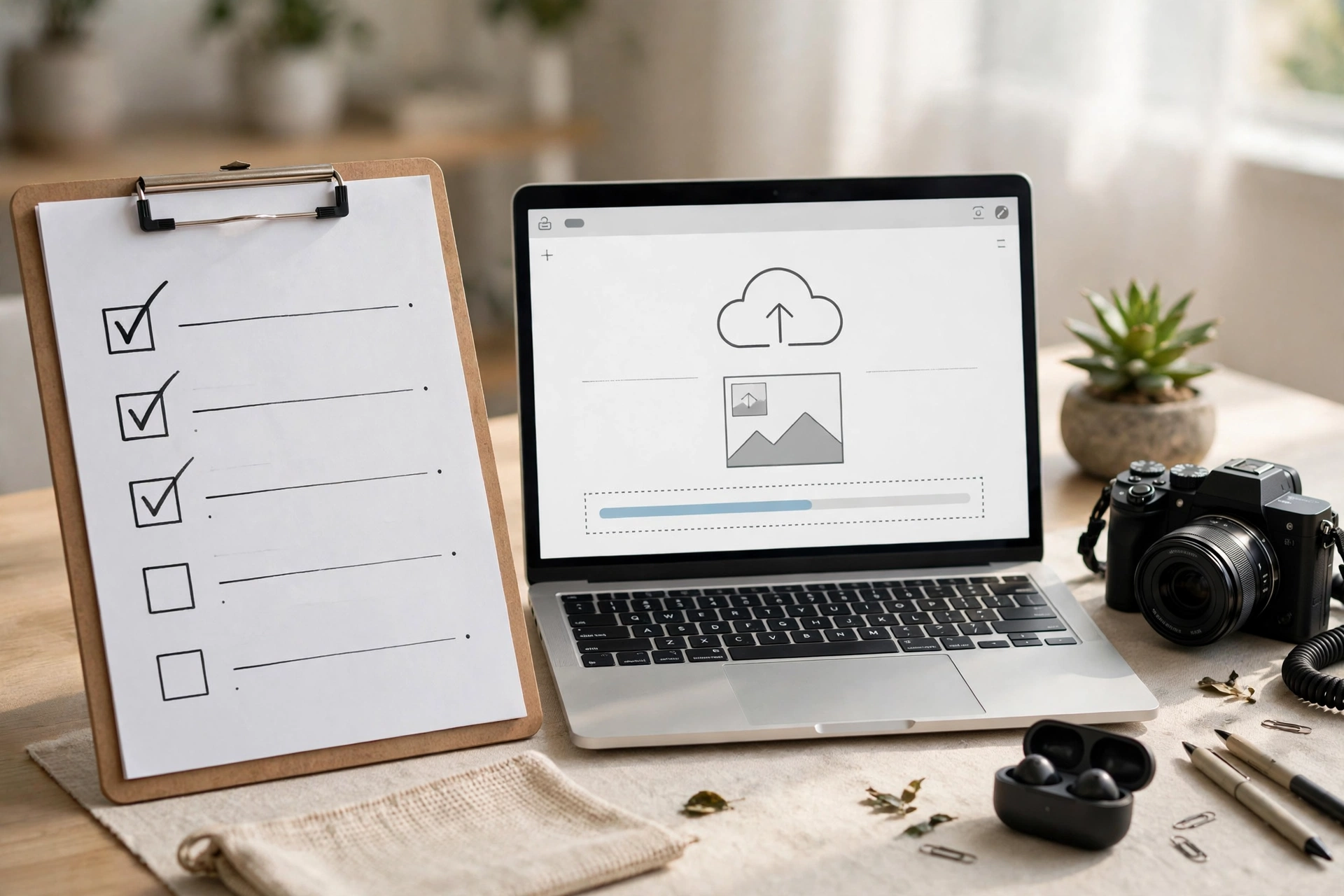
Do not upload your whole archive on day one. Run a small test first, and let the sales tell you what to shoot next.
- Audit what you already have. Pick 20 sharp, well-lit photos of subjects buyers search for: people working, food, streets, offices, seasons. Leave out sunsets and flowers.
- Sort the releases. Any photo with a recognisable person needs a signed model release for commercial use. Private buildings, logos and artwork need a property release. Photos without releases can still sell as editorial on Alamy.
- Keyword honestly. Write 25 to 50 specific tags per photo, describing what is actually in the frame. Check what buyers search for on the agency first, and match those words.
- Upload the same 20 to Adobe Stock and Shutterstock. Both accept non-exclusive work, so one upload teaches you about both. Note which photos get accepted and which get rejected, and why.
- Wait 30 days, then follow the sales. Double down on the subjects that sold. Do not upload 500 more of what did not. If nothing sold, the problem is usually the subject or the keywords, not the camera. A similar small-scale test works for other online income too, including if you get paid to test websites alongside your photography.
Questions people ask before they start
Do I need a professional camera? No. Agencies accept phone photos if they meet the quality bar, usually at least 4 megapixels, sharp at full size, with no heavy filtering. Good daylight matters more than the camera.
Can I sell the same photo on more than one site? Yes, if you sell non-exclusively, which is the default on most agencies. The exception is any file or portfolio you have marked exclusive, so check the exclusivity box before you upload the same photo elsewhere.
Can I sell AI-generated images? It depends on the platform. Adobe Stock accepts them with the AI origin labelled. Alamy states plainly that it does not accept AI-generated images. Dreamstime has its own rules and bans AI images of people. Never upload the same AI image to every site without reading each rule.
How much can a beginner earn? Very little at first. A 2026 community survey of 312 photographers found a median of $18 a month, with most contributors under $100 a month. The realistic path is a year of steady uploading toward a library of several hundred photos, not a fast payout.
Do I pay tax on this income? In most places, yes, once it passes a small threshold, and the agencies will ask you for a tax form before your first payout. Non-US contributors are usually asked for a W-8BEN form, which tells the agency to apply the right withholding rate. Keep records of every payout from the start.
Sources and editorial notes
Revised on 28 November 2026. Royalty rates were read on 28 November 2026 from the agencies’ own contributor pages as quoted in 2026 guides: Shutterstock’s 15% to 40% tiers and $0.10 floor, Adobe Stock’s 33% flat rate and $0.33 floor, Alamy’s September 2026 restructure to 20% for new contributors, Dreamstime’s 25% to 50% non-exclusive range and $100 payout minimum, and the 2026 community survey median of $18 a month. Rates change, so check the live contributor page before you apply. This guide does not report hands-on income results. The images are AI-generated editorial illustrations created for Plioty. Updated 28 November 2026 with AI assistance. Read our editorial process or send a correction.